Welcome to Black Sea Realms
What you need to know before starting your journey
Persistent Roleplay
Every action your character takes is permanent. The structures you build, trade networks you establish, and reputation you create leave lasting marks on the world.
Real Economy
A fully player-driven economy through the Market System. Get rich with supply and demand balance, speculation, and trading strategies.
Political Power
Establish your own dynasty, form alliances, and shape the fate of the Black Sea. Rule through diplomacy or sword power.
Key Information
Essential features and rules of our server
NPC Quests
Our decorative and roleplay-based quest system provides players with an in-depth story experience.
- Daily dynamic quests
- Character development stories
- Regional events
Trade Center
With the active Trade Center, you can safely buy and sell your items and perform market analysis.
- Secure trading system
- Price history tracking
- Automatic market balance
Weekly Rewards
We reward our active players with Admin Reward Chests.
- Activity-based chests
- Rare item drops
- Seasonal special rewards
Quick Start
Choose your setup method and join the realm in minutes.
Download Configuration
Download the required configuration file so quests work properly.
⬇ Download Configuration (ZIP)Copy the File
Place the downloaded file in your game's data folder:
Important: Make sure the game is completely closed before copying the file!
Restart the Game
Start the game and connect to Black Sea Realms server.
Close Game
Ensure Life is Feudal is not running.
Copy File
Paste cm_messages.xml into the data folder.
Launch
Start game and join the server.
💡 Tip: If you have any questions, you can reach us through our Discord channel or the contact information below. We are happy to help you.
Jorvik MOD Installation
Complete MOD package with enhanced gameplay features
MOD Contents
The Jorvik MOD includes the following folders and files:
Note: Copy ALL folders and files listed above to your game directory.
Important: Coin minting has been removed from the mod to prevent conflicts with the in-game market system. Please do not spend time trying to craft coins — this feature is intentionally disabled.
Installation Steps
Close Game
Ensure Life is Feudal is completely closed before installing
Copy All Files
Copy ALL folders and license.txt to:
Overwrite if Asked
Click "Yes to All" when prompted to replace existing files
Launch & Enjoy
Start the game and experience enhanced Black Sea Realms
Quests Not Working?
Make sure cm_messages.xml is in the correct location:
Game Crashes?
Verify game files through Steam:
Right Click LiF → Properties → Local Files → Verify Integrity
MOD Conflicts?
Remove any other MODs before installing Jorvik. Clean installation recommended.
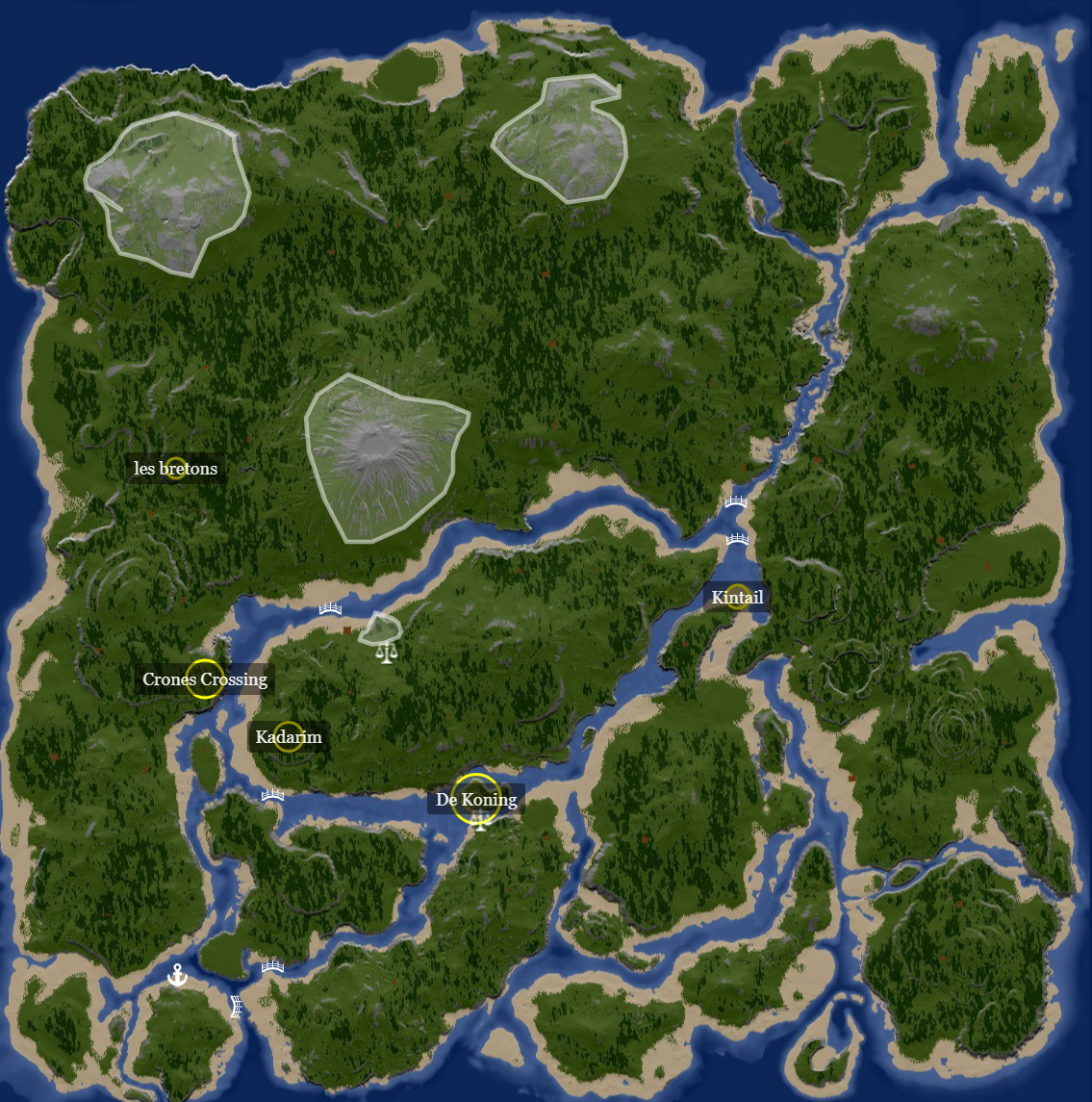
World Map
Interactive map of Black Sea Realms
🗺️ Live Map
Updated